

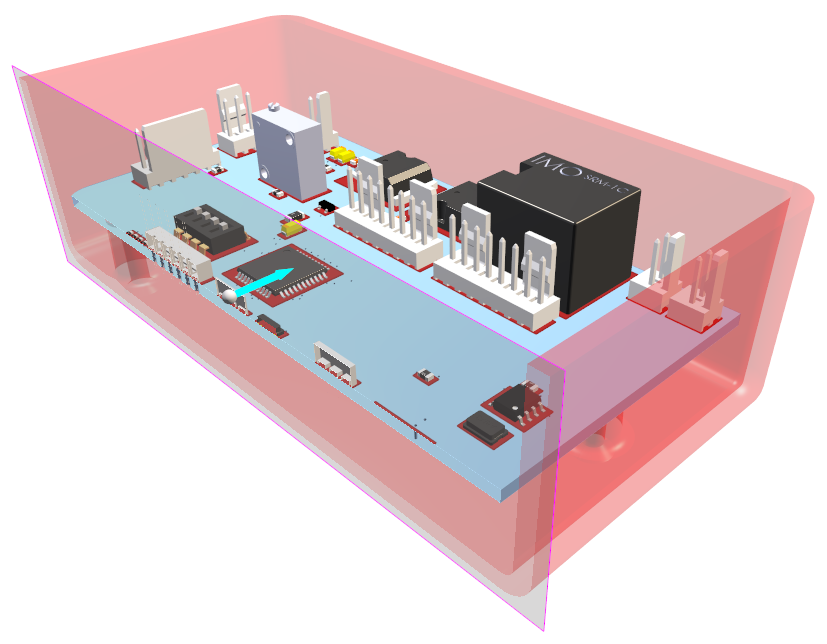
The Clip Plane option allows you to view a ‘clipped’ view of your 3D design.
A Clip Plane is a visualisation that allows areas of the design to be selectively disabled from view enabling you to focus on areas of interest.
Locating this option
Available from: 3D Design menu > Clip Plane option
Using this option
From the Clip Plane > option there are selection options to allow a clip plane to be added normal to the X axis, Y axis and/or Z axis. It also allows interactive repositioning of the planes along their respective normal. You can use more than one plane view at any time.
The Reverse Normals option is used to reverse the X, Y or Z clip plane views by 180 degrees in the 3D Viewer.
Once in this mode, you can drag the view using the interaction arrow.
To switch this mode off, select the clip Plane option selected to deselect it on the menu.