

You can change the current variant to be displayed by selecting it from the list.
Shortcuts
Default Keys: None
Default Menu: None
Command: Change Variant
Locating this option
Available from: in a PCB design - Status Bar > Current Variant option
Available from: in the 3D Viewer - 3D Design > Change Variant option
How To Use The Dialog
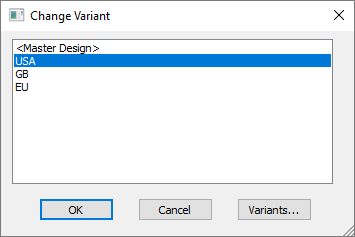
Double-click the current Variant name in the list and press OK.
Variants button
In a PCB design, you can access the main Variants Manager in Technology by clicking on the Variants… button.
Changing Variants an the 3D Viewer
If, in a PCB design, you Change Variant and you have the 3D Viewer already running, the current variant will automatically be changed to reflect the changed variant.