

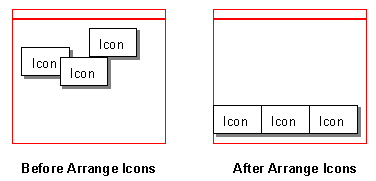
Arrange Icons is used to arrange any application windows which have been minimised within Pulsonix, along the bottom edge of the design or workbook window.
Icons can be positioned anywhere within the window although the appear at the base by default on minimise.
The icons appear as follows:
Shortcuts
Default Keys: None
Default Menu: Window
Command: Arrange Icons
Locating this option
Available from: Window menu > Arrange Icons option