

This option offers you a list of all the commands in Pulsonix which are available in the current context.
Shortcuts
Default Keys: None
Default Menu: Edit
Command: Run Command
Locating this option
Available from: Edit menu > Run Command option
Using this option
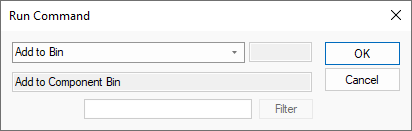
You can execute one of the commands by selecting it and pressing OK.
Use the Filter option to to find all commands associated with a word. For example script would find all commands relating to scripting. Once located using the drop down list, press OK to execute it.