

Check Out is used to book out items from the Vault when you want to alter them.
Shortcuts
Default Keys:
Default Menu: File - Check Out
Command: Check Out
The Check Out dialog
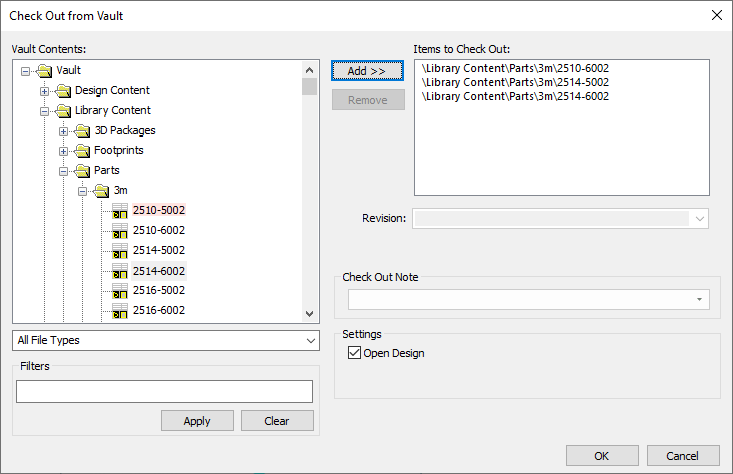
At the left side of the dialog is the tree of Vault folders showing the items contained in each of the folders.
Below this is a drop-down list of file types. Changing the selected entry in this list will refresh the tree view to only display folders that contain items of the selected type, to help you focus on the particular type of item you want to check out.
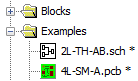
Any items that are already checked out are marked with an asterisk as you can see here:
Selecting items to check out
You can check out a single item by simply selecting it in the folder tree and clicking OK.
To check out multiple items, use the Add and Remove buttons to build up the list of items to check out. They will then be processed in one go when you click OK.
Check Out Note
Enter a suitable note or comment in the box provided or select one from the drop down list. These will be recorded in the Audit Trail for the Check Out action.
Settings
Check the Open Design checkbox to open the items for editing once they have been checked out.