

This page can be found on the Define Source dialog when editing a universal source component or part.
Use it to define the magnitude and phase of a source device used when performing an AC Sweep Analysis, or Noise Analysis
A simpler alternative to defining a universal source component is to use one of the specific AC Source components.
Shortcuts
Default Keys: F7
Command: Edit Spice Value/Model
How To Define An AC Source
Use the Define Source dialog to edit a source device. Click on the AC tab.
The following dialog will be displayed:
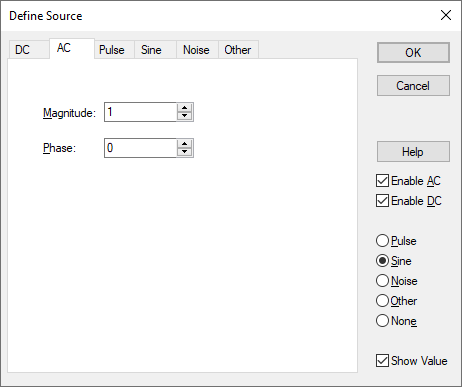
Type in the AC magnitude and phase for the source.
This specification has no effect in Transient or DC analyses.
Source Pages
Click on one of the links below for details of the relevant source page.
Universal Source | DC Source | AC Source | Pulse Source | Sine Source | Noise Source | Other Source