

Use the About dialog to view the current security devices and their serial numbers.
How To Use The Dialog
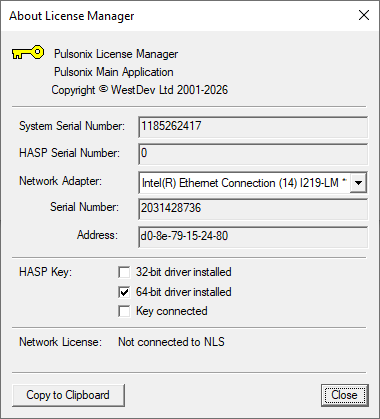
The About dialog lists information about the available security devices, as well as the version and build number of the License Manager program itself.
If you have more than one network card, adapter or other network device in your computer, you should see all these devices in the drop-down list. Choose one of these devices to see the address and serial number of that network card.
Copy to Clipboard
Click the Copy to Clipboard button to copy to the system clipboard the details of all the security devices shown. You may find this option useful if you are requesting a license for a particular device.