

This page can be found on the Define Source dialog.
Use it to define the values for a Noise Source device.
Shortcuts
Default Keys: F7
Default Menu: Simulation
Command: Edit Spice Value/Model
How To Define A Source’s Signal
Use the Define Source dialog to edit a source device. Click on the Noise tab.
The following dialog will be displayed:
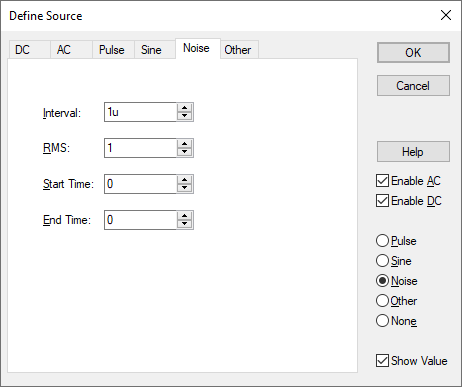
The source generates a random value at an interval with distribution such that the spectrum of signal generated is approximately flat up to a frequency equal to 1/(2 \* Interval).
Amplitude of noise is RMS volts.
Start Time and End Time provide a means of specifying a time window over which the source is enabled. Outside this time window, the source will be zero. If End Time is zero a value of infinity will be assumed.
Editing Multiple Components
If any of the fields are set to <Different> then some of the components you are changing have different values for that field. Clear this field and enter the required value for all components, or leave as <Different> to tell components to keep their original values for that field.
Source Pages
Click on one of the links below for details of the relevant source page.
Universal Source | DC Source | AC Source | Pulse Source | Sine Source | Noise Source | Other Source