

This enables you to select one or more schematic symbol libraries that you want to translate into the Pulsonix symbol format, and also which file or folder that you want to store the translated libraries.
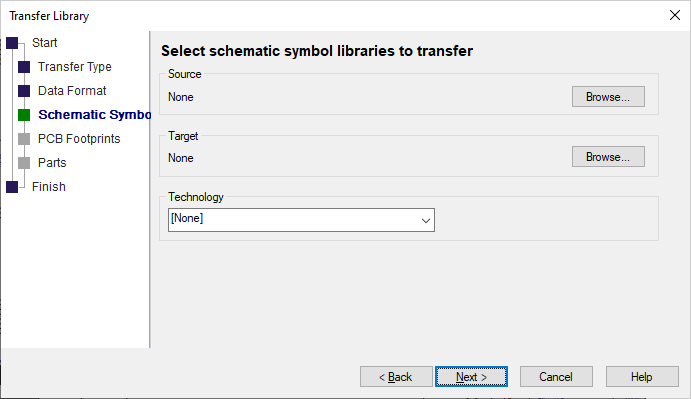
Source
This specifies the source symbol libraries that you want to transfer. Use
Browse to select the libraries. You can select more than one
library to transfer but they must all be in the same folder.
Once you have selected one or more libraries, the target library names will default to the selected names with specified Pulsonix schematic symbol library extension.
Target
This specifies what the transferred libraries will be. If you have
selected just one file to transfer, you can use Browse to change
the name and or the folder of the target filename. If you have
selected multiple libraries, Browse can be used to
change the folder that the transferred files go into. You
cannot change the name of the transferred libraries if you have chosen multiple libraries.
Technology
You can specify a Schematic technology file to use for the
transfer. If you specify a technology file to use, then the transfer
will use appropriate terminal and line styles from the technology file.
For some vendors it is more appropriate to use no technology file
as the styles are defined within the library.