

Pulsonix Online Help uses a online Help system using your default web browser and a local .chm Help file.
By default, the Online web help is used but can be toggled off from within the Options - General dialog.
Shortcuts
Default Keys: F1
Default Menu: Help
Command: Help
Locating this option
Available from: Help menu
Available from: Pressing F1
Web Help
When Help is first started the HTML Help Viewer Window is displayed:
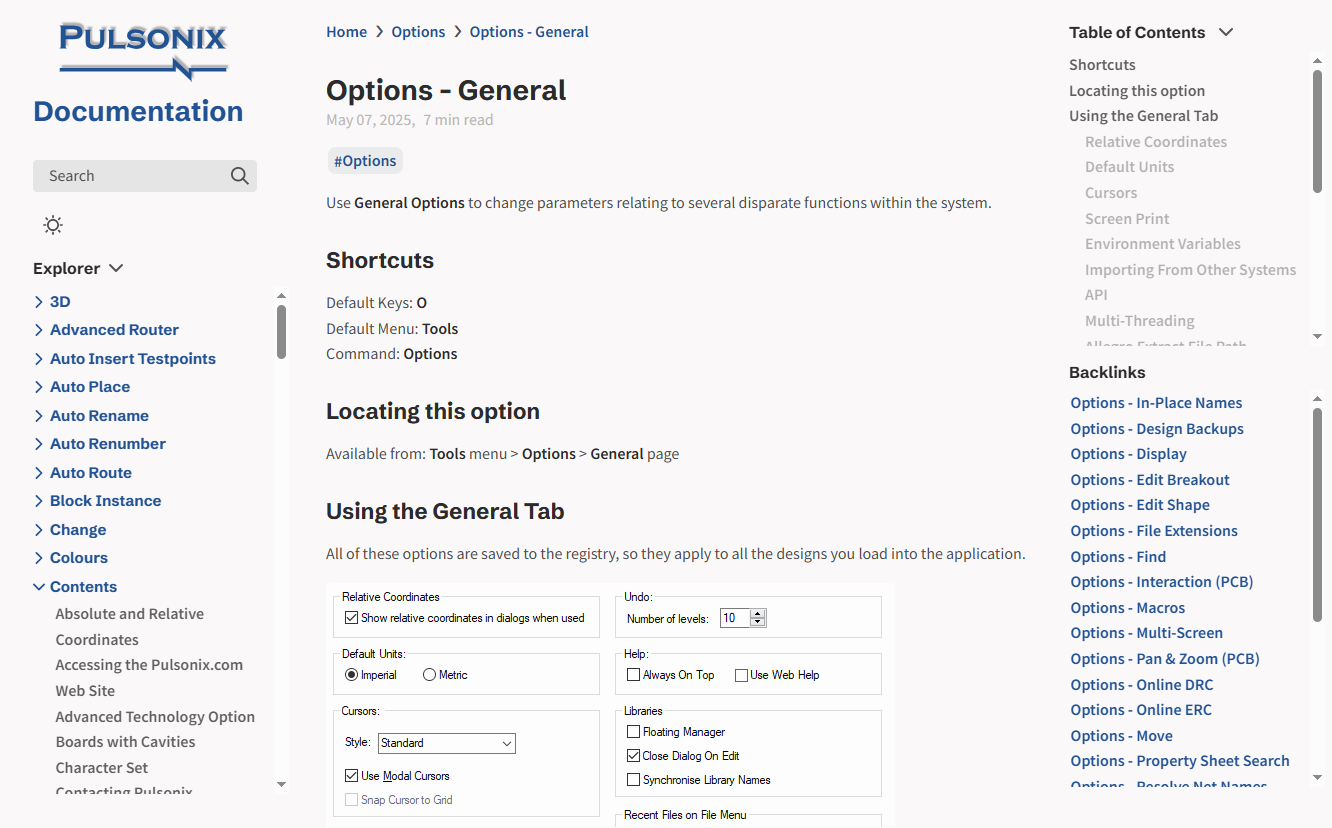
- On the left side of the window are a link to the Documentation home page, a Search bar and topic Navigation bar.
- The middle pane is the contents of the selected help topic.
- On the right side of the window a general Table of contents with backlinks off the main contents displayed underneath this help topic.
If you prefer to use a local .chm Help file you can switch off the web help from within the Options - General dialog.
The HTML Help Viewer
When the local .chm Help is run, it starts as a HTML Viewer Window:
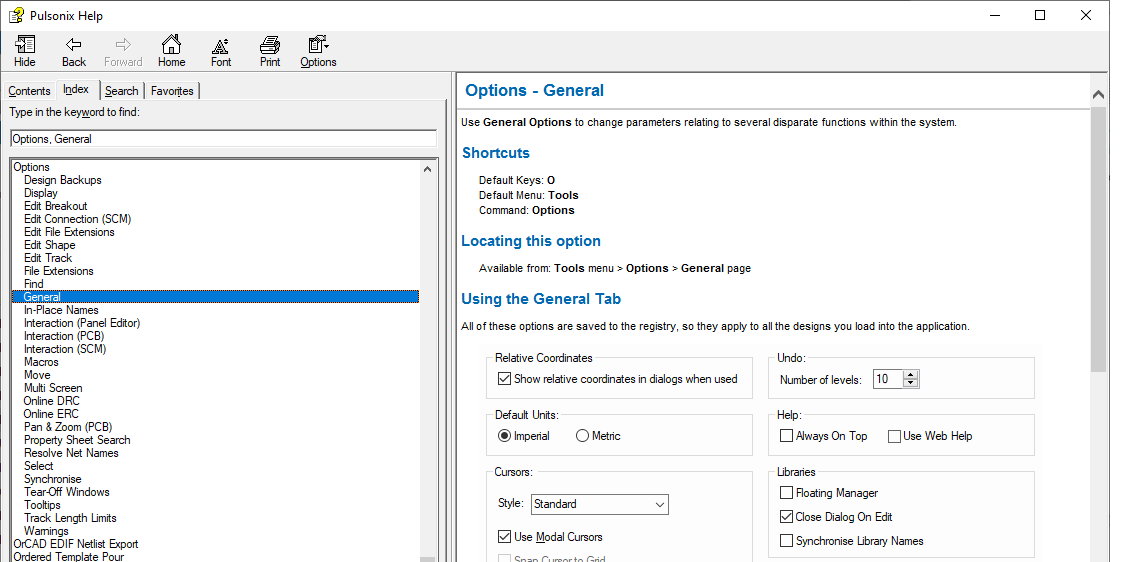
- The toolbar at the top of the page is used for general dialog controls such as navigating Back, changing the Font and Printing.
- On the left side of the window is the Navigation pane. It contains four navigational tabs: the Contents tab, the Index tab, the Search tab, and the Favorites tab.
- With the Index tab selected, type into the entry box to quickly search for the topic required.
- On the right side of the window is the Topic pane. It displays the selected help topic, or the default help topic.