

This dialog is used when when you are importing SCM symbol libraries from other EDA vendors into a Pulsonix library. It is also used when importing a Pulsonix design to create new library items and when importing other formats, such as Importing .plx files.
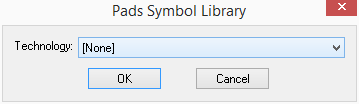
The title of the window indicates which EDA vendor that the library is being imported from.
Technology This drop down list can be used to choose a technology file to define styles used in the symbols or footprints. You do not have to use a technology file, as some vendors ASCII library files hold complete technologies. You can select [None] to specify no technology.