

Use this dialog to control what columns (attributes) are visible in the item grid on the Browser page. When the item grid is populated, each Vault item will populate every visible attribute if that attribute is available for the item. If the attribute is not available for the item, it will be left blank.
Using the dialog
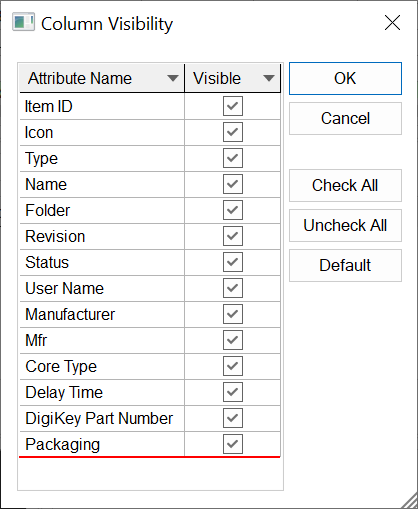
Attribute Visibility Grid
The grid will show all the attributes that can be added the Vault Browser item grid. Attributes can be added using the Attributes page in the Vault Setup dialog. A tick in the check box next to the corresponding attribute indicates that this attribute should be visible.
Controls
- Check All - Will set the visibility of all attributes to true.
- Uncheck All - Will set the visibility of all attributes to false.
- Default - Will set the visibility of user attributes to false.