

This dialog is used when you are importing Part libraries from other EDA vendors into a Pulsonix Parts library. It is also used when importing a Pulsonix design to create new library items and when importing other formats, such as Importing .plx files.
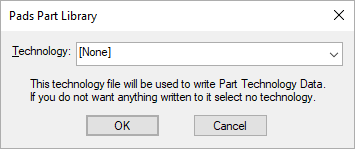
The title of the window indicates which EDA vendor that the library is being imported from.
Technology - You can choose a part technology file containing Attribute Names and predefined Net Names, these will be used when the Parts library file is written. These names are used when editing Parts within a library or when the part is added to a design. If you do not wish these to be saved to a part technology file select [None].